Payment Processing & E-Commerce Integration

(Stripe, PayPal & PayPal Enterprise Payments, Set Up for You)

Payment Processing

A checkout that works, on a merchant account you own

We connect your website to a real payment platform, turn on the payment methods your customers actually use, and hand you a checkout that works. You keep ownership of your merchant account and your money. We handle the configuration, testing, and launch.
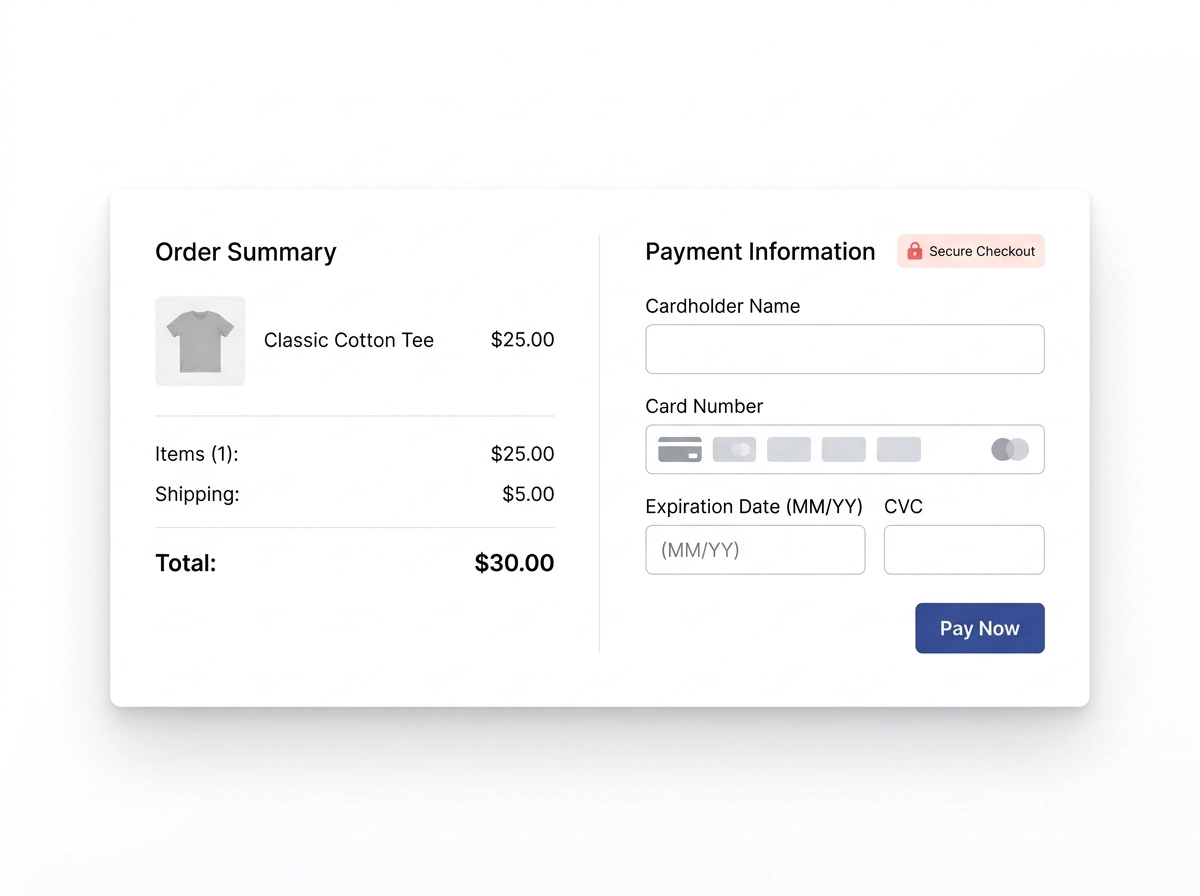
Website checkout page with payment processing added
2007
Serving Utah Businesses Since
300+
Customer Success Stories
57
Industry Recognitions & Awards
Platforms

Start by choosing a platform

Every integration runs on one of three platforms. The right one is decided by which payment methods your customers expect, not by preference. Here is what each one is and who it suits.

Stripe

Best for subscriptions & Cash App Pay

The strongest option for tiered plans and recurring billing. Proration, plan upgrades, dunning, and a hosted customer portal are built in. Cash App Pay and ACH are both available here.

Does not support Venmo. US Stripe accounts cannot accept PayPal.

PayPal Checkout

Best for Venmo & brand familiarity

The fastest route to accepting PayPal and Venmo. Requires a PayPal Business account. Venmo appears on your existing PayPal buttons once enabled.

Does not support ACH bank debit or Cash App Pay.

The one rule that decides most projects

No single platform offers both Venmo and Cash App Pay. Cash App Pay exists only on Stripe. Venmo exists only on PayPal and PayPal Enterprise Payments. If your customers expect one of the two, that requirement chooses your platform for you. If you need both, you would run two processors side by side, which we can scope separately.

Compare

What works where

Payment method availability by platform. Every method listed is available in the United States for US-based businesses transacting in USD.

Payment methods available on Stripe, PayPal Checkout and PayPal Enterprise Payments
Payment methodStripePayPal CheckoutPayPal Enterprise Payments
Major credit & debit cardsYesYesYes
Apple PayYesYesYes
Google PayYesYesYes
Cash App PayYesNoNo
VenmoNoYesYes
PayPal walletNoYesYes
ACH Direct Debit (bank)YesNoYes
Link / Instant Bank PaymentsYesNoNo
Buy now, pay laterYesYesYes
Pricing

Our integration pricing

One-time fees for configuration, integration, testing, and launch. These are our fees for the work. They are separate from the platform's processing rates, which are listed below.

Payment Processing
E-Commerce | Online Payment Processing
$1,000
Order Now
What's Included:
  • Merchant Processing (such as PayPal, Stripe, or Square) added to any existing website
E-Commerce | Addn'l Processors (Add On)
$200
Order Now
What's Included:
  • Additional payment processing methods, such as:
  • Venmo
  • CashApp
  • GooglePay
  • AppleWallet
  • Zelle
  • Other (upon approval)
  • Please adjust the quantity if you want more than 1
E-Commerce | ACH Bank Payments (Add On)
$650
Order Now
What's Included:
  • ACH Direct Debit setup
  • Bank account verification
  • Authorization collection
  • Settlement handling
  • Failed-payment retry
  • Live verification
E-Commerce | All-In-One Processing (PayPal Enterprise Payments)
$2,000
Order Now
What's Included:
  • Cards, PayPal & Venmo
  • Apple Pay & Google Pay
  • ACH Direct Debit
  • Buy now, pay later
  • Underwriting guidance
  • Custom checkout build
  • End-to-end testing
E-Commerce | Custom Gateway Integration
Starting at $2,000
Order Now
What's Included:
  • Gateway review & feasibility check
  • Custom checkout integration
  • Credit & debit card acceptance
  • Sandbox & live testing
  • Reconciliation check
  • Dashboard training

Looking for more ways to grow your business? Explore WordPress E-Commerce and Shopify E-Commerce Stores.

Processing Rates

Platform processing rates

These are the platforms' own published US rates, charged directly to you on each transaction. We do not mark them up, and we do not collect them. None of these platforms charge a setup fee, a monthly fee, or a minimum processing requirement.

Rates are subject to change by the platform at any time. Confirm current pricing on the provider's own pricing page before relying on these figures.

Stripe

Domestic cards2.9% + 30¢
Apple Pay, Google Pay, Cash App PayCard rate
Link Instant Bank Payments2.6% + 30¢
ACH Direct Debit0.8%, capped at $5
Klarna5.99% + 30¢
International cards+1.5%
Currency conversion+1%
Manually entered cards+0.5%
Stripe pricing page

PayPal Checkout

Domestic cards2.99% + 49¢
PayPal wallet3.49% + 49¢
Venmo3.49% + 49¢
Apple Pay, Google PayCard rate
ACH Direct DebitNot available

PayPal publishes rates by product and account type. We confirm your exact rate against your account during onboarding.

PayPal fees page

PayPal Enterprise Payments

formerly Braintree
Cards & digital wallets2.59% + 49¢
Venmo3.49% + 49¢
ACH Direct Debit0.75%, capped at $5
International cards+1%
Currency conversion+1%
Chargebacks$15 per dispute

Businesses processing roughly $80,000 a month or more can request negotiated interchange-plus pricing.

PayPal Enterprise fees page
How It Works

How it works

You own the merchant account. You create it, you control it, and you can revoke our access at any time. We never ask for your banking details, tax identification documents, or account passwords. Every platform we work with supports proper delegated access, and that is what we use.

  1. Discovery call

    We look at who your customers are, what you sell, whether you bill once or on a recurring basis, and which payment methods your buyers expect. That conversation determines your platform.

  2. You create the account

    You sign up directly with Stripe, PayPal, or PayPal Enterprise Payments and complete their verification using your own business and banking information. We send you a checklist and stay on the phone if you want a hand, but the credentials stay yours.

  3. You grant us access

    You invite us as a team member with the permissions the work requires. No shared passwords. When the project ends, you remove us in a single click.

  4. We build and test in sandbox

    Checkout integration, payment method configuration, tax and currency settings, receipts, and webhooks, all built against the platform's test environment first. Apple Pay domain verification and wallet eligibility are confirmed here.

  5. Live verification

    We run a real transaction on every enabled method, on desktop and mobile, and confirm the funds land in your account and the money reconciles in your dashboard.

  6. Handoff

    A walkthrough of your dashboard: where to find payouts, how to issue a refund, what a dispute looks like, and who to call. You leave knowing how to run it.

Common Questions

Frequently asked questions

Quick answers about payment platforms, accounts and fees.

Do the payment platforms charge setup fees? +
No. Stripe, PayPal, and PayPal Enterprise Payments all have no setup fees, no monthly fees, and no minimum processing requirements. You pay them only when you process a transaction. Our own fees are the one-time integration fees shown in the pricing section, for the integration work.
Who owns the merchant account? +
You do, always. You sign up under your own business, your own bank account, and your own tax identification, and then grant us team access to do the work. We never hold your banking credentials or your passwords, and you can remove our access at any moment without touching your payment flow.
Do I need a PayPal Business account? +
Yes, for PayPal Checkout. A personal PayPal account will not accept commercial payments through a website checkout. PayPal Enterprise Payments is a separate application with its own underwriting review, it is not an upgrade toggle on an existing PayPal account, and approval is not instant. We will tell you what the application asks for before you start.
Can I accept both Venmo and Cash App Pay? +
Not on one platform. Cash App Pay is available only through Stripe; Venmo is available only through PayPal and PayPal Enterprise Payments. Accepting both means running two processors in parallel, with two dashboards, two payout schedules, and two sets of reconciliation. That is a real project rather than an add-on, and we scope it separately. In most cases one of the two is clearly the right fit for a given customer base.
Who pays the processing fees, and can I pass them on? +
The platform deducts its fee from each transaction before the money reaches you. We do not mark it up and we do not collect it. If you would rather not absorb that cost, there are two approaches. The simplest is to build the expected fee into your published prices: invisible to customers, no compliance exposure, and it works on every payment method. The alternative is a customer-facing fee added at checkout, which both Stripe and PayPal can support technically. That second route is regulated. What such a fee may be called, how large it may be, whether it may be applied to debit cards, and whether it is permitted at all depends on your state and on card network rules, and the requirements differ between platforms. We will build it for you, but confirm the structure and the exact wording with your attorney before you turn it on. We are not able to give legal advice on this point.
Why does ACH cost more to set up than a wallet? +
Because it behaves differently from a card. Enabling Apple Pay or Venmo is largely configuration. ACH means verifying that the customer owns the bank account, collecting an authorization, handling payments that settle over several business days rather than confirming instantly, and catching payments that fail after the fact when an account is closed or short. On PayPal Enterprise Payments it also requires a custom checkout build, because ACH is not available in their standard drop-in interface. The payoff is the rate: on the same payment, ACH costs a fraction of what a card does.
What is Link, and is it a financing option? +
No. Link is Stripe's own wallet, closer to Apple Pay than to a buy now pay later product. Nothing is borrowed. Customers who saved a card or bank account at any other Stripe business can check out on your site with an email and a code instead of typing card details. It comes with your Stripe integration at no extra charge, and its Instant Bank Payments option runs slightly below the standard card rate while still settling on the card timeline.
Can I add payment methods later? +
Yes. Add-on pricing applies at the rates shown in the pricing section, and most wallets can be enabled without disturbing your live checkout. Moving between platforms later is a bigger job, which is why we spend time on the platform decision up front.
How soon do I get paid? +
Card and wallet payments typically settle to your bank within a couple of business days once your account is established, though every platform holds initial payouts a little longer while it verifies a new merchant. ACH payments take longer and can be returned after they appear to have succeeded, which is why we build a failure path into every ACH integration.
Next Steps

Not sure which platform you need?

Tell us who your customers are and how you bill, and we will tell you which platform fits, before you sign up for anything.

Book a Free Consultation

Helpful to have ready:

  • 1 The URL of your existing website
  • 2 What platform your website is built on
  • 3 Which payment methods you want to accept
  • 4 Whether you already have a merchant account

Sites by Sara is an independent integration provider. We are not a payment processor, a reseller, or an agent of Stripe or PayPal, and we do not hold client funds. All processing rates shown are set by the platforms and are subject to change. Nothing on this page is legal, tax, or financial advice.

×